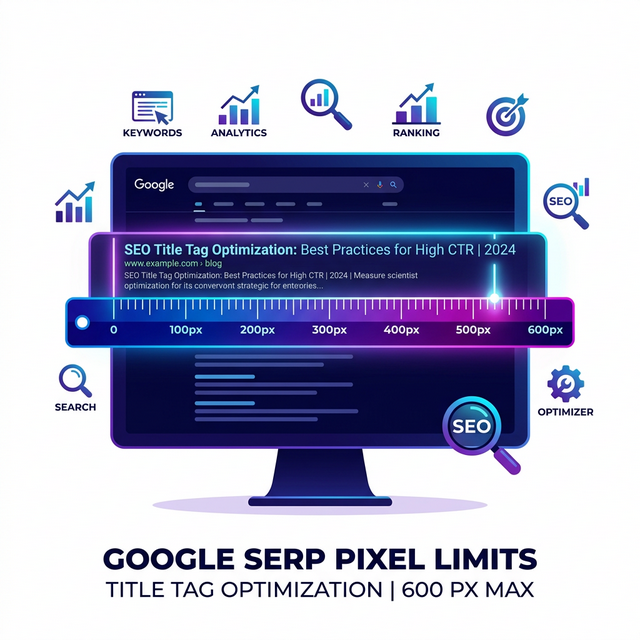
For over a decade, the golden rule taught in every introductory SEO course was simple: "Keep your Title Tags under 60 characters, and your Meta Descriptions under 160 characters."
While this is a helpful rule of thumb for beginners, it is factually incorrect. Google does not care about character counts. Google cares about Pixels.
Characters vs. Pixels
Search engines use a proportional font (specifically Arial on desktop) to display search results. In a proportional font, not all characters are created equal.
Consider the lowercase letter 'i'. Now consider the uppercase letter 'W'.
A Title Tag consisting of 60 'i's will take up significantly less horizontal space on a monitor than a Title Tag consisting of 60 'W's. If you blindly write a 59-character title filled with wide capital letters, Google will violently truncate it, replacing the end of your carefully crafted pitch with a brutal ellipses (...).
The Actual Pixel Limits in 2026
While Google frequently tests different layouts, the current generally accepted pixel limits are:
- Desktop Title Tags: ~600 pixels
- Mobile Title Tags: ~600-650 pixels (spread across two lines)
- Desktop Meta Descriptions: ~920 pixels
- Mobile Meta Descriptions: ~680 pixels
The Cost of Truncation
Having your title tag cut off is not a direct algorithmic penalty. Google will still read and categorize the hidden words for ranking purposes.
The damage is entirely psychological. If your title is: "The 10 Best Running Shoes for Men With Flat Feet and Back Pain", but it truncates to "The 10 Best Running Shoes for Men With Flat...", the user intent is completely destroyed. The user with back pain will likely scroll past your result and click on a competitor who managed to fit "Back Pain" safely within the pixel limit.
How to Perfectly Optimize Your Tags
1. Use a Visual Simulator
Because you cannot manually calculate the pixel width of Arial fonts in your head, you must use a tool. Before publishing any article, run your proposed title and description through a SERP Snippet Simulator. This will render an exact visual replica of how your snippet will appear on Google Desktop and Mobile interfaces, stopping truncation before it happens.
2. Front-Load the Value
Always assume truncation is a possibility (especially on smaller mobile screens). Place your primary target keyword and the most compelling emotional trigger at the very front of the title tag. Relegate your brand name to the end.
Conclusion
Stop trusting arbitrary character counts from outdated WordPress plugins. The only way to guarantee a perfect, high-CTR snippet is to measure your text physically in pixels using a simulator. Protect your organic real estate.